

Where do I find my OAuth credentials and webhook settings?
Navigate to the top-right avatar dropdown and select “API & Webhooks”.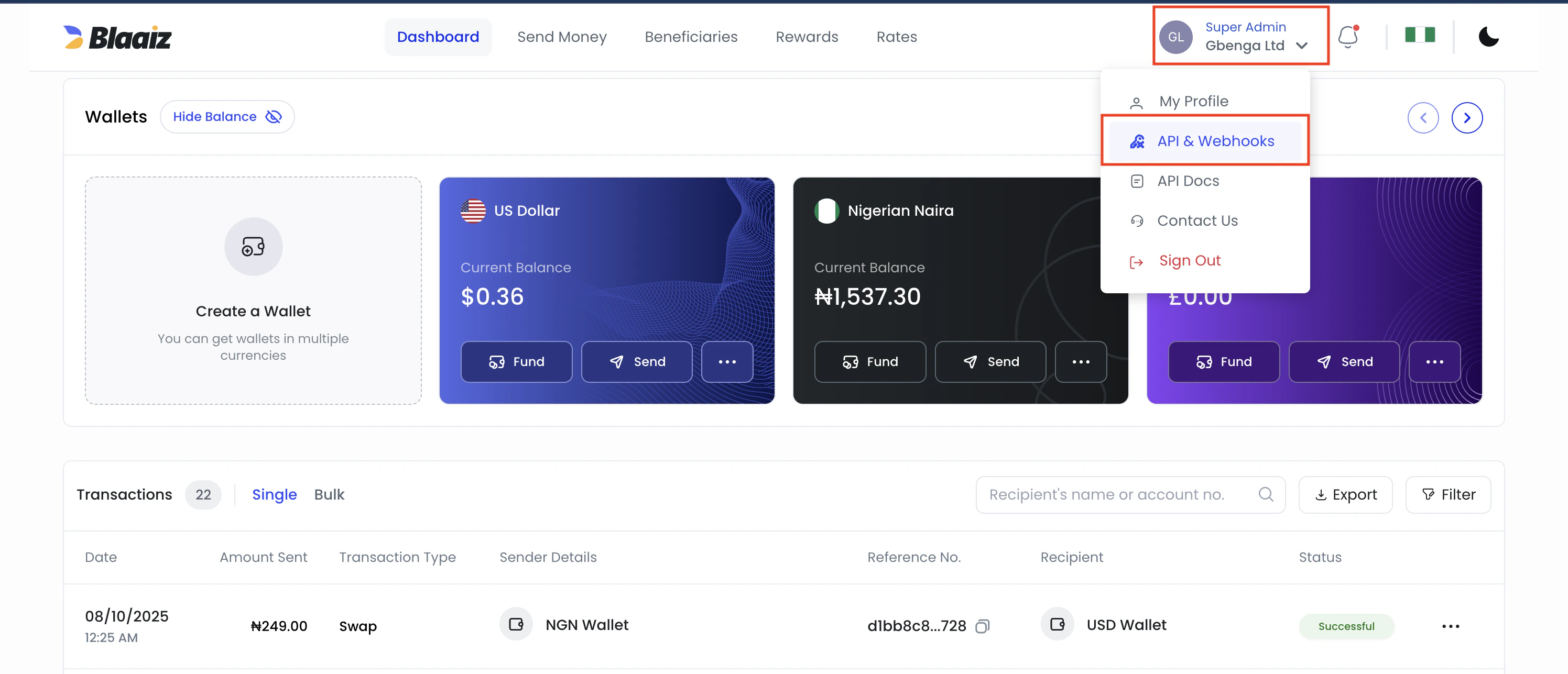
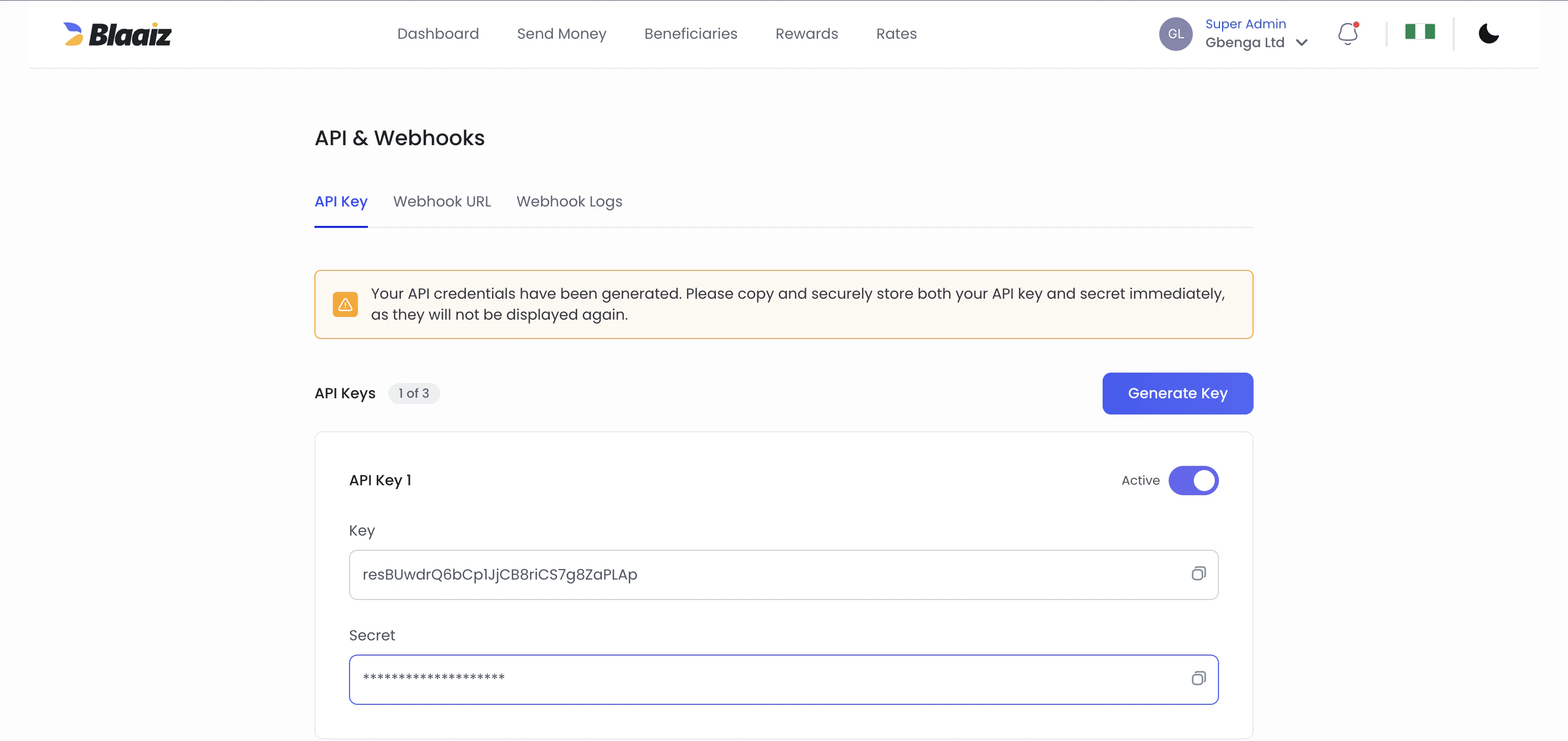
Creation of new legacy API keys is disabled. If you still have an older API-key-based integration, switch fully to OAuth as soon as possible.
Authorization: Bearer <token>.
Which secret should I use for what?
- Use the OAuth
client_secretonly when requesting an access token from/oauth/token. - Use the webhook
signing_secretonly when verifying thex-blaaiz-signatureheader on webhook deliveries.
client_secret to verify webhooks.
Both secrets should be treated as one-time-visible values. Store them securely when they are shown. If either secret is lost later, rotate it from API & Webhooks and update your integration.
Which scopes should I request?
When requesting an access token from/oauth/token, pass the scopes that were assigned to your OAuth credentials. For example: scope=wallet:read payout:create transaction:read.
Each endpoint requires a specific scope (e.g. payout:create for payouts, wallet:read for wallets). If your token lacks the required scope, you will receive a 403 Forbidden response. See Authentication — Scopes for the full list of scopes and bundles.
What are the required parameters for the collection API?
The collection API requires the following parameters:method- The collection method (e.g.,"card","bank_transfer")amount- The total amount including all applicable feescustomer_id- The unique identifier created via the Customer API. The customer must beVERIFIED— fortype=individualvia the legacy KYC flow, fortype=businessvia the KYB flow.wallet_id- Your business wallet ID for the specific currencyphone_number- Required for certain collection methods
How do I onboard a type=business customer?
Business customers go through a different flow from individual customers. They require beneficial owners and a KYB document collection (incorporation certificate, etc.), and they use a different set of upload endpoints. The legacy /files endpoint and id_file trigger do not apply to business customers.
See Business customer KYB for the full lifecycle and Onboarding a business customer for the step-by-step.
Do we need to implement all collection methods?
No, you only need to implement the collection methods that correspond to your supported currencies. For example:- If your business only handles CAD and NGN transactions, you only need the collection methods relevant to those currencies, such as Interac, virtual bank accounts, or card collections
- You can choose to implement only the specific collection methods that align with your business needs and supported currencies
What is IP whitelisting and why is it required?
IP whitelisting is a security requirement where merchants must submit their server IP addresses during onboarding. Only API requests from whitelisted IP addresses will be accepted—requests from non-whitelisted IPs will be rejected. To whitelist your IP addresses:- Identify all IP addresses that will make API calls
- Submit them to support@blaaiz.com during onboarding
- Contact support if you need to add or update IPs after onboarding