

Overview
Alongside Interac Auto Deposits, Blaaiz supports Interac money requests for collecting Canadian Dollars (CAD). Where Auto Deposit is a push flow — your customer sends an e-Transfer to your email and Blaaiz credits you — a money request is the pull counterpart. Your platform asks Blaaiz to send an Interac money request to a payer, the payer approves it from their banking app, and the funds land in your CAD wallet. Interac money requests are available exclusively for CAD collections.What is an Interac money request?
An Interac money request is a request for payment sent to someone’s email address. Instead of waiting for the payer to remember to send funds, you initiate the collection:-
You tell Blaaiz the amount and the payer’s email.
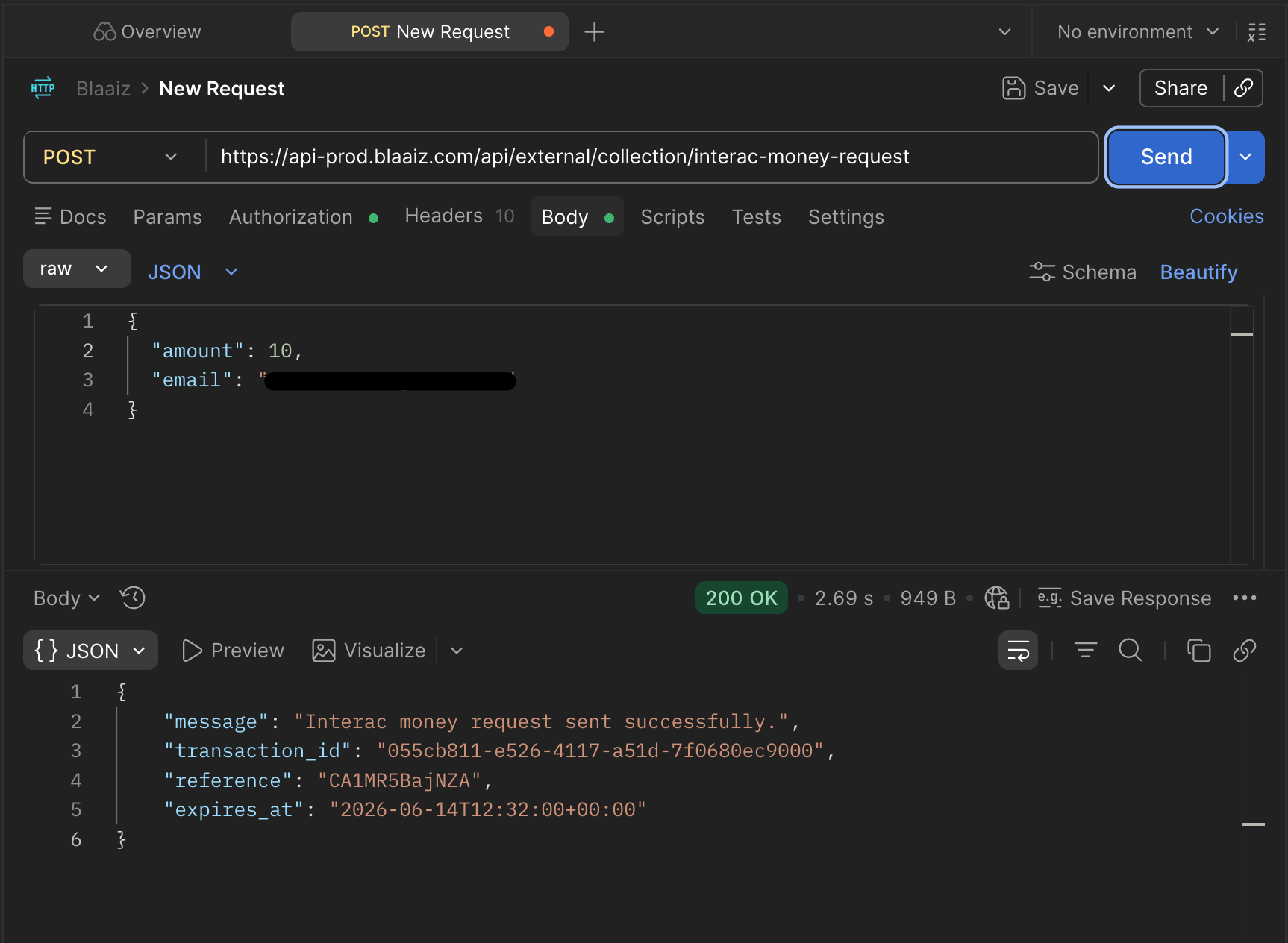
-
Blaaiz sends an Interac money request to that email.
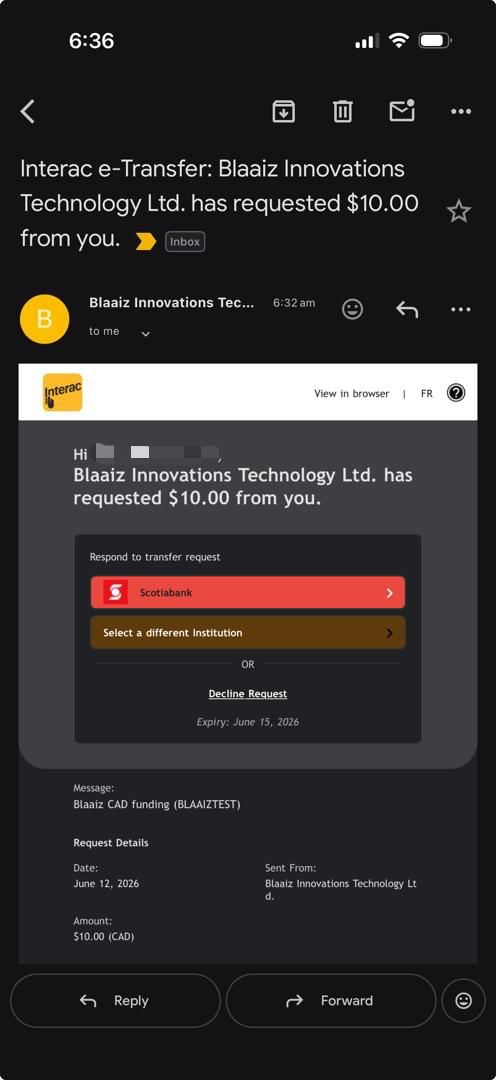
-
The payer opens their banking app and approves the request.
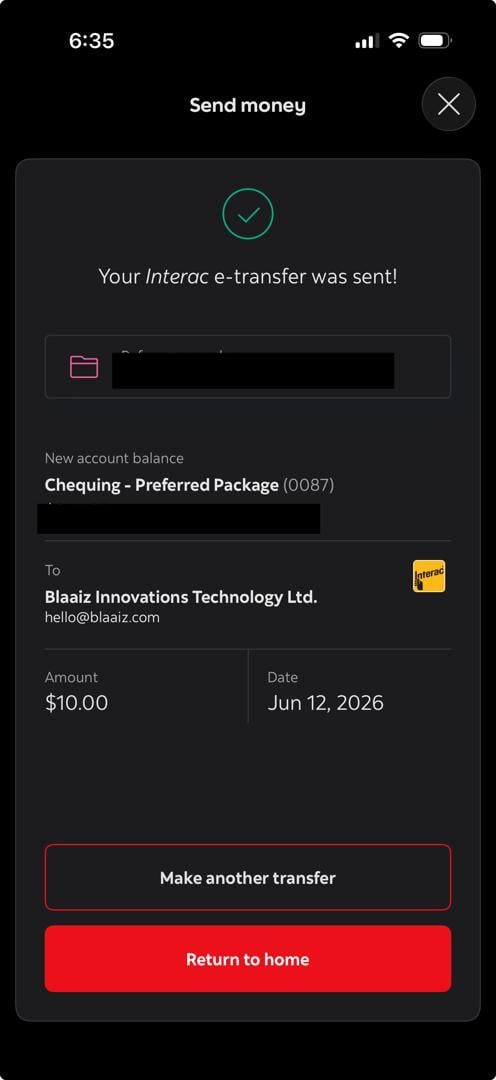
-
The funds are sent and Blaaiz credits your CAD wallet.
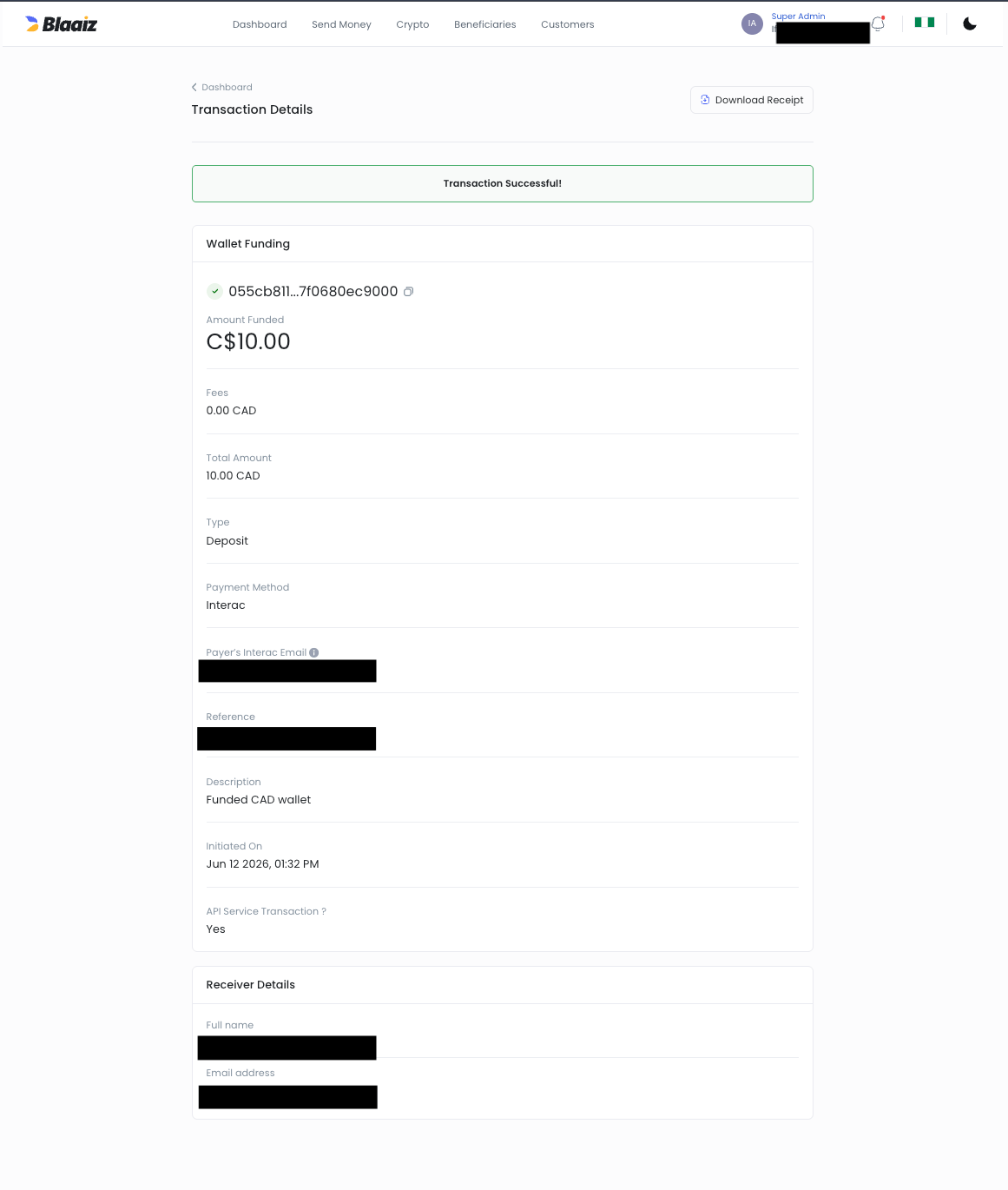
Push vs pull: Auto Deposit vs money request
Both rails credit the same CAD wallet and emit the same CAD collection webhook.
How Blaaiz supports Interac money requests
Blaaiz enables platform and merchant businesses to:- Initiate a money request to any payer email
- Receive CAD funds directly into their CAD wallet once the payer approves
- Track the outcome via collection webhooks
Example scenario
Let’s say:- Company: Envelopy
- Business Type: Platform business on Blaaiz
payer@example.com, for 100 CAD. Instead of emailing an Auto Deposit address and waiting, Envelopy initiates a money request for that exact amount. The payer receives an Interac notification, approves it in their bank app, and the net amount lands in Envelopy’s CAD wallet — confirmed by a collection webhook.
Lifecycle
A money request settles asynchronously. Initiating it does not move money — it only sends the request. The collection staysPENDING from the moment you initiate it until the payer approves. You learn the final outcome from the collection webhook — never treat the initiation response as settlement.
Expiry
A money request expires if the payer doesn’t approve it in time. By default the request is valid for 48 hours; you can shorten or extend this when initiating it, up to a maximum of 120 hours. Once expired, no funds move and no success webhook is sent.Fees
The standard INTERAC collection fee applies — the same as Auto Deposit collections. Your wallet is credited the net amount; the webhook reports both the fee (transaction_fee) and the net (transaction_amount_without_fee).
Identifying who paid
Like Auto Deposit, every CAD collection webhook includes asource_information object containing the payer’s Interac email. Match the webhook to the collection you initiated using the transaction_reference (the reference returned when you initiated the request) or the transaction_id.
👉 See the full webhook payload here:
CAD Collection Webhook Sample
Integrating via the API
This page covers the concept. For the end-to-end API integration — request fields, sample requests and responses, and handling the webhook — see:- Interac money requests use case
- Initiate Interac money request (API reference)
- Authentication & scopes — requires the
collection:interac:createscope